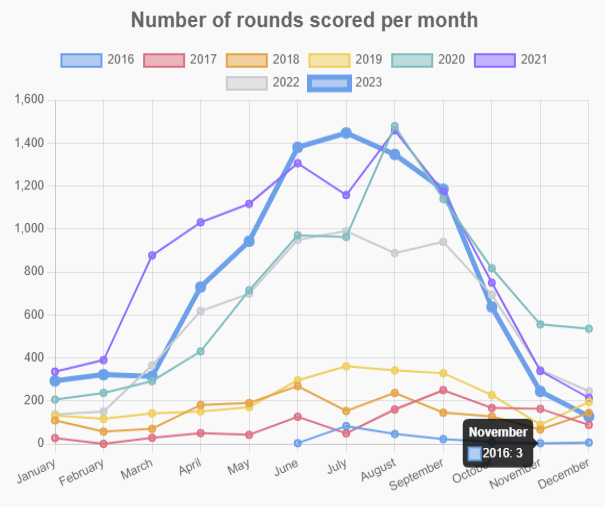
CourseStats offers UDisc course ambassadors a way to turn statistics into charts. Download the csv file from your Course Tools and use this service to get charts that you can share with your local club, players or post on social media.
To get started, you can just go to the charts page and upload your datafile. No account required. We will not save your files, so you need to take a screenshot before leaving if you want to share the charts. If you want to share a link to a chart that can be updated with new data in the future, you can also create an account and upload the file to our server (but there are other options).